One HSE platform. The office and the field, in step.
A near miss reported at the rig face is on the manager’s screen before the person who spotted it has put their phone away.
- 41
- modules in the web command centre
- 33
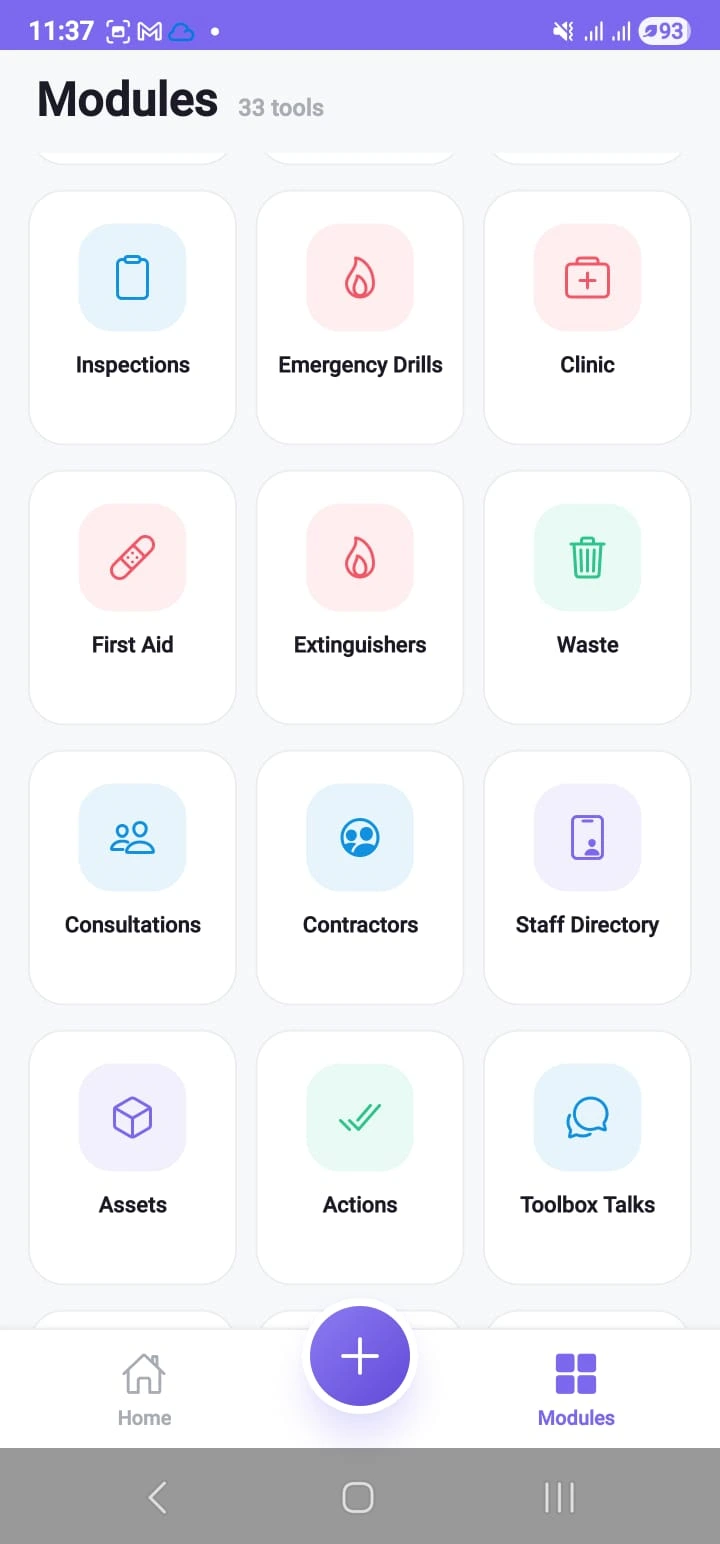
- screens in the field app
- 60s
- to file a full report from the field
- 1
- place your safety data lives
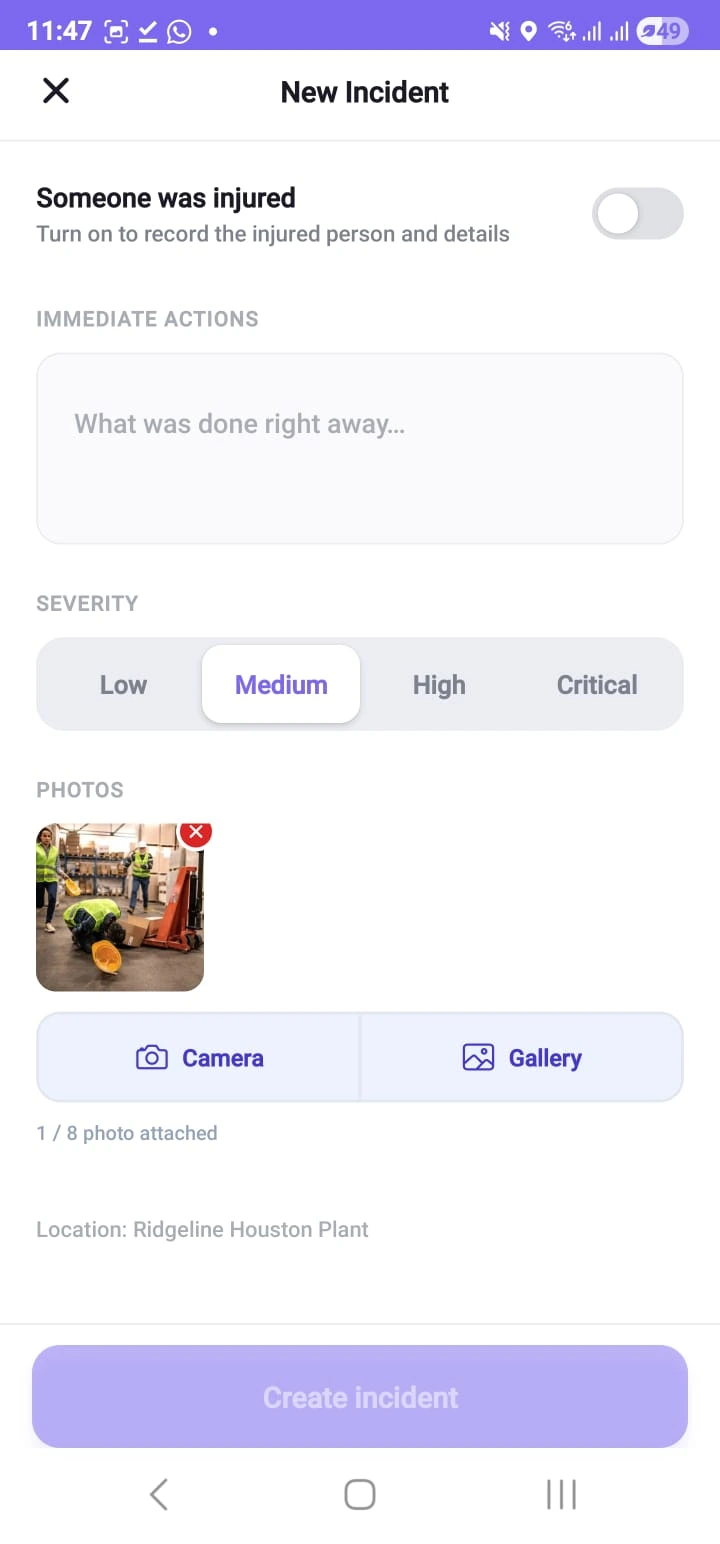
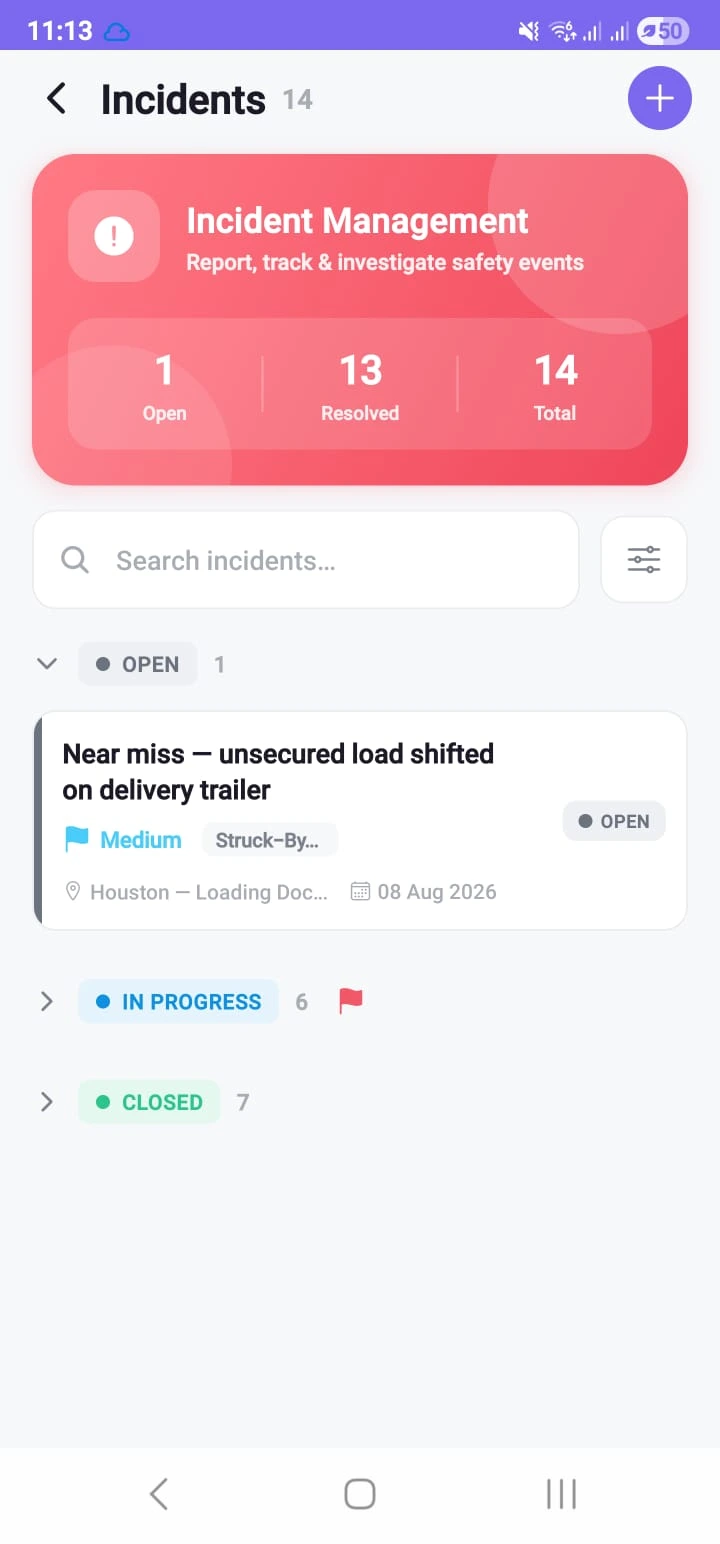
One record, two front doors
Nothing to sync. No end-of-day upload.
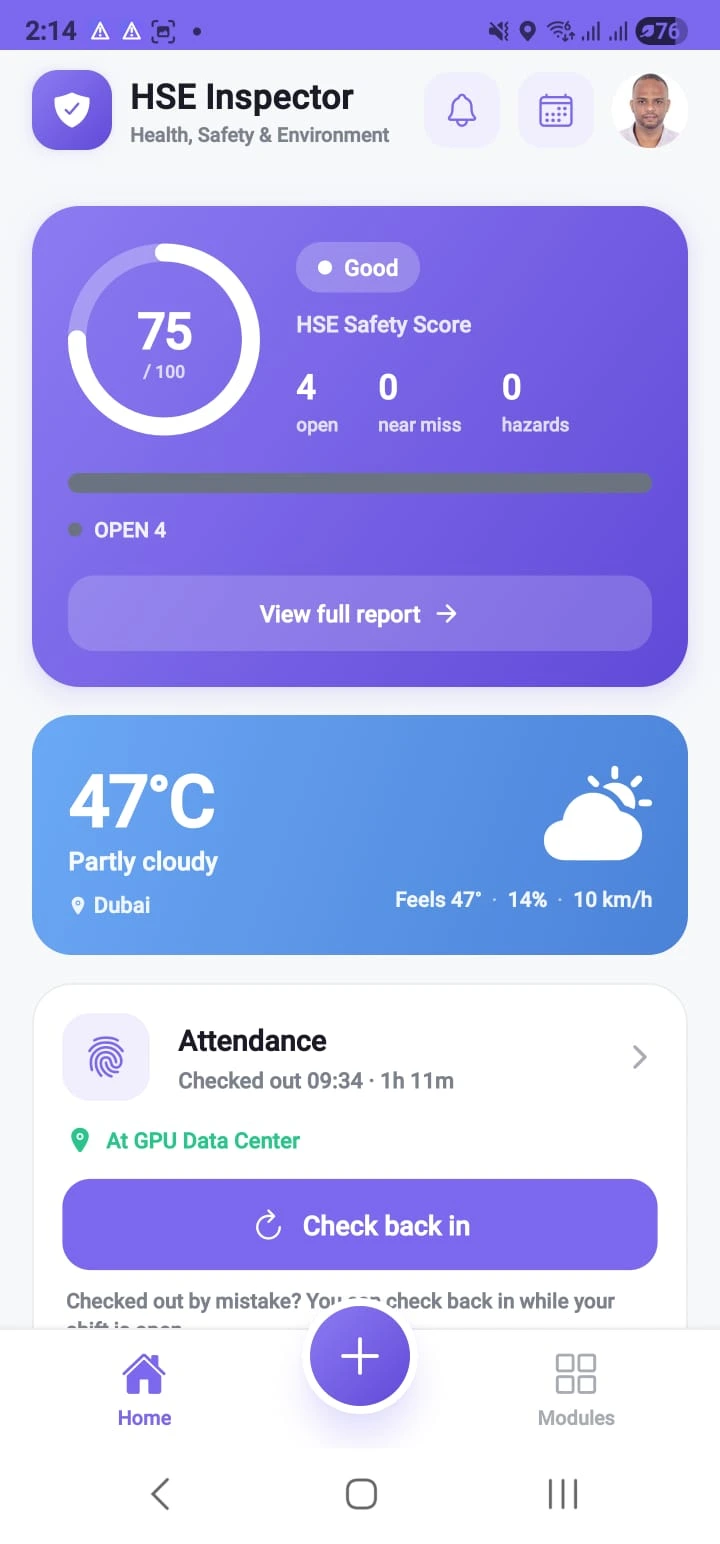
07:40The day, on one screen
Safety score, what is still open, and whether the crew is checked in.
Safety data arrives too late to be safety data
Clipboard, chat group, binder. By the time any of it reaches a desk, the shift has ended.
On site today, and what replaces it
- Paper forms and clipboardsOne register, one search, one version of events
- A spreadsheet only one person maintainsNothing depends on one person’s spreadsheet
- Photographs buried in chat groupsThe photograph is attached to the event, for good
- Approval chains by emailEveryone sees the same status at the same moment
- A shared drive of scanned PDFsOne place everything lives
- A wall planner for the weekThe planboard becomes My Jobs on the phone
- Separate clinic and contractor logbooksOne login, one bill, one place to look
Six costs that never arrive as an invoice
Safety is a P&L line. Here is where poor safety admin takes the money.
01 Supervisor hours
Chasing and re-typing, every week, unpaid.
02 The report nobody filed
The near miss nobody logs is next quarter’s injury.
03 The same event, twice
No root cause, no closed action — so it happens again.
04 Downtime after an incident
Work stops until the facts exist.
05 Audit preparation
Days of collation, proving things you already did.
06 Premiums and penalties
Insurers and regulators both price your records.
None of these appear on an invoice — which is precisely why they never get fixed.
Model the costReport. Act. Prove.
Everything in the platform ladders to one of these three. If a feature does not, it does not belong in a safety system.
Report
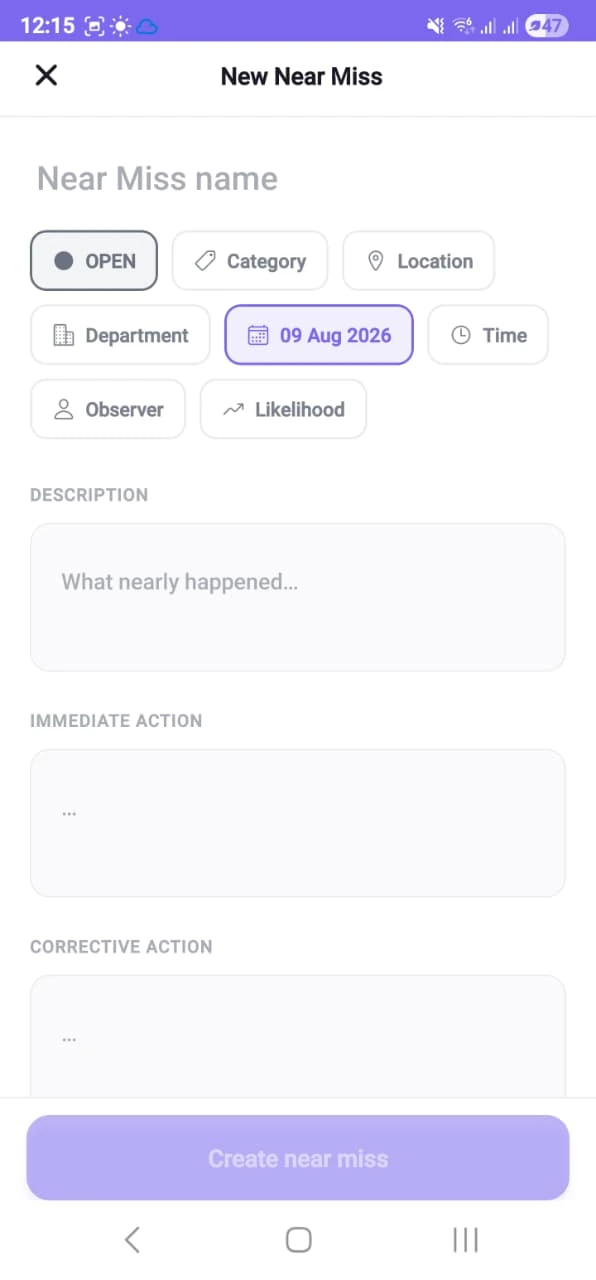
Under a minute, from where it happened
- The phone finds the site, the camera reports
- Severity in one tap, injured people named
- A cheap handset and a weak signal
- Contractors report on the same system
Act
Every finding becomes an owned, dated action
- Assigned to a person, not a team inbox
- Chased automatically when it runs late
- Root cause attached to the event
- Approvals that cannot be short-circuited
Prove
A complete evidence chain, clause-mapped
- Every change attributed and timestamped
- Photographs and signatures held with it
- Leading and lagging indicators, per site
- The audit pack exports in minutes
One system. Two front doors.
The same record, the same rules, reached two ways. Nothing to sync, nothing to reconcile and no end-of-day upload.
In the hand
33screens in the field app
- Capture it where it happened
- Works offline, on a cheap handset
- The camera is the report
On the desk
41modules in the command centre
- Assign, investigate, approve, close
- Every site on one dashboard
- Export the audit pack in minutes
Sites do not have office signal
Basements, tank farms, remote pads. Cut the signal below and keep working.
Showing last known good data. Anything you file is saved on this device and sent when the signal returns.
My Jobs
Illustrative of the behaviour, not a live connection
Last known good, always
A dropped connection shows yesterday’s list, never a blank screen.
Failures are spoken aloud
If a change cannot be saved the app says so and keeps your text.
Photographs always survive
A dropped signal costs you a retry, never the evidence.
Battery is a first concern
Twelve hours on one charge beats a feature nobody opens.
Most safety software files the report
This one dispatches the response. Four minutes from a shifting pallet to an owned, dated corrective action — with nobody chasing anybody.
09:15Field app
The report lands
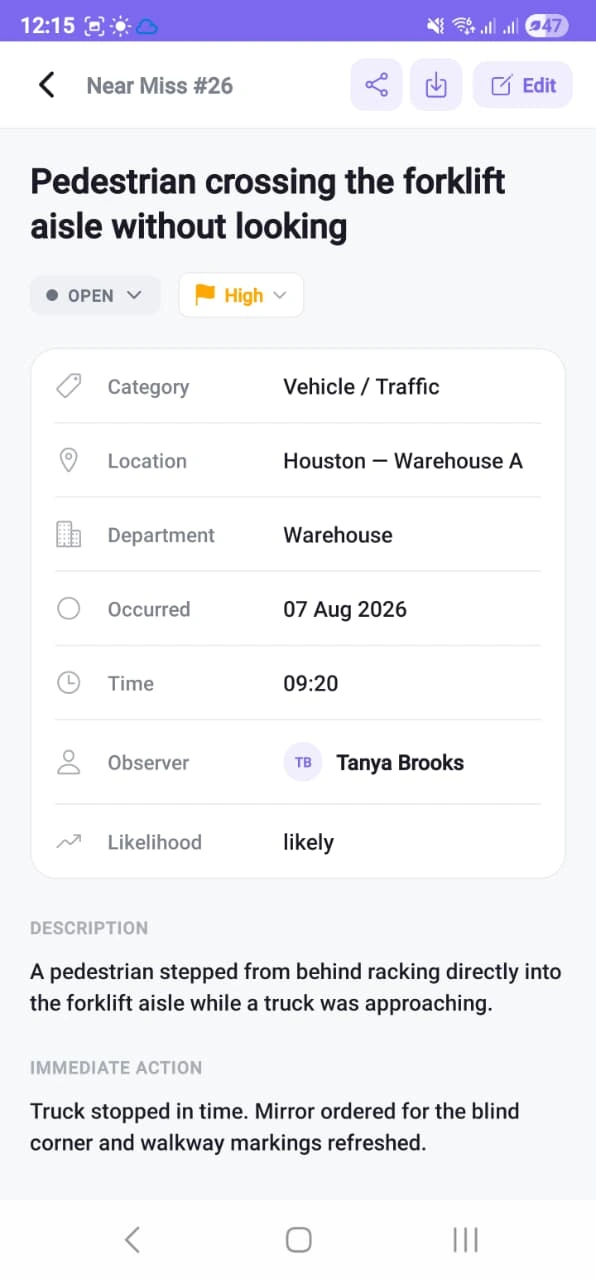
Near miss, High, photographed. Fifty seconds, one hand, gloves on.
09:16Automatic
The rule fires
High severity raises the alert and opens the record. Nobody had to notice it.
09:19Field app
It has an owner
A dated corrective action is on the supervisor’s phone, with the photograph attached.
On paper this is a note that reaches a desk at 17:40 — if it reaches one at all.
Nobody types where it happened
The app resolves the site and the area, zones hold at the boundary, and a fall escalates with a position attached.
Illustrative site plan — the same areas and people the registers on this site use.
Nobody types the location
“Houston — Warehouse A”, resolved from your own sites. Not a coordinate somebody looks up later.
Zones hold at the boundary
A permit area is a shape on the map, not a line in an induction. Cross it and the app says so.
A lone worker who cannot call
The handset asks “are you OK?”, then escalates with a position. Responders are sent to a place, not a search.
Tracking people earns its place in exactly one argument — somebody is hurt and cannot tell you where they are. Who can see a position is a permission like any other. Have that conversation with your crews before you turn it on, not after.
The evidence already exists
When the regulator asks for two years of records, you filter. You do not spend three weeks rebuilding the story.
1. Filter, do not collate
Severity High, last quarter, all sites. The register answers immediately.
2. Each record carries its evidence
Investigation, root cause, owners, closure dates, photographs — all attached.
3. Export the pack
PDF for the narrative, Excel for the tables. Twenty minutes, not a fortnight.
ISO 45001:2018 · twelve clauses
- 5.4Consultation & participation of workers
- 6.1.2Hazard identification & risk assessment
- 6.1.3Legal & other requirements
- 7.2 / 7.3Competence & awareness
- 7.4Communication
- 7.5Documented information
- 8.1.2Hierarchy of controls
- 8.1.3Management of change
- 8.1.4Procurement & contractors
- 8.2Emergency preparedness & response
- 9.1Monitoring, measurement & analysis
- 10.2Incident, nonconformity & corrective action
Certification audits your organisation, not your software — but this is what you hand the auditor.
See the clause mapNine markets, one set of registers
Written around the hazards, not around the word that fits on a chip.
A guard lifted to clear a jam, a machine that was never isolated, and a line that runs whether or not the interlock still works.
- Hazard set
- Machine guarding, hazardous energy, ergonomics
- Sits under
- 29 CFR 1910.147The control of hazardous energy — lockout/tagout
- Registers
- Inspections · Work Permits · Incidents
5 / 9
Drag the photographs, or use the arrow keys.
All 41 modules, one login, one bill
Not a suite you assemble from add-ons. This is what is in the command centre on the day you go live.
Overview & reporting7
- Dashboard
- Incidents
- Investigations
- Near Miss
- Hazard Reports
- HSE Notifications
- Proactive Safety
Operations7
- Actions
- Job Schedule
- Work Permits
- Inspections
- Approvals
- Surveys
- My Surveys
Risk & safety7
- Risk Assessments
- Job Hazard Analysis
- Toolbox Talks
- Training
- Compliance
- Safety Score
- Performance & Badges
Facilities & health7
- Clinic
- First Aid Boxes
- Fire Extinguishers
- Emergency Drills
- Waste Records
- Vendors
- Consultations
Sites & assets7
- Assets
- Locations
- Hazard Zones
- Live Tracking
- Devices
- Automations
- System Settings
People & control6
- Users & Staff
- Contractors
- Site Access
- Attendance
- Groups & Permissions
- Audit Trail
33 of them are in the field app too, working offline.
Open a registerLive in thirty days
Not a systems project. Supervisors need an hour on the dashboard and crews need a demonstration.
Week 1
Set up & shape
Your platform is live. Sites, departments and people loaded. Categories and severities set to your language.
Week 2
Configure the work
Form fields, checklists, approval paths and permission groups. Your existing registers imported.
Week 3
Pilot with one crew
One site, real reports. Train supervisors on the dashboard and the crew on the app — an hour each.
Week 4
Roll out & measure
Remaining sites enabled, automations switched on, first monthly pack produced from live data.
Where it runs — your choice, not ours
- We run it for youWe host it, keep it updated and back it up. You get your own address and a working platform on day one.
- In your own cloudIt runs inside your own account, under your policies and your retention rules.
- Inside your own wallsOn your own servers, for sites that cannot send safety data outside at all.
Straight answers
The six things buyers say in the first meeting, and what we actually reply.
The most common reason these systems die, so it is the main design constraint: one hand, under a minute, a cheap Android, a weak signal. Run one crew for four weeks and measure the reporting rate — that answers it better than we can.
You do not have a data problem, you have a retrieval and chasing problem. How long did your last audit pack take to assemble, and who chased the actions?
Then it does not. It runs in your own cloud account or entirely on your own servers, inside your own network.
They usually die for two reasons: too many mandatory fields, and nobody owning the actions. Forms are yours to configure, and every action has an owner, a date and an automatic reminder.
Against what? One lost-time injury, one day of stopped work, or the supervisor hours already going into chasing and re-typing. Price the alternative first.
Language and branding are configuration, not development.
We have no interest in winning an argument in a meeting and losing it on site six months later.
See it on your own site data
File one real report on a phone and watch what reaches the manager.
- 45-minute walkthrough, on your own scenarios
- File one real report and watch it land
- Or a four-week pilot with one crew